







AI Video Tools
Create, Edit & Publish Professional Subtitles
A single place to generate, refine, validate, and publish subtitles that are accurate, readable, and platform-ready.
Designed so anyone can produce broadcast-quality captions — no technical expertise required.
2M+
Videos Created
95%
Time Saved
4.9
User Rating
Trusted by the best agencies & video editors across the world


Overview
What is Subtitle Editor?
Subtitle Editor is a complete subtitle management system that allows you to:
- Auto-generate captions from video
- Upload and refine existing subtitle files
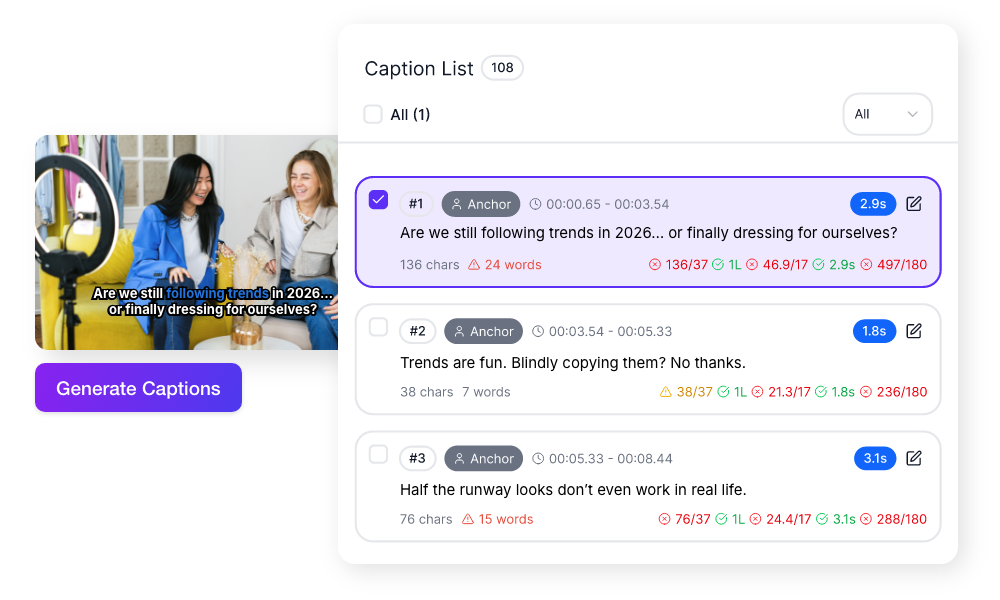
- Control readability rules (WPM, CPS, duration, line length)
- Edit timing and text with full precision
- Export in multiple professional formats
The result: Accurate subtitles that catch the viewers attention.
Why Choose Videograph's AI Subtitle Editor?
Most tools simply provide timestamps. Videograph understands the video and provides with the best content clips.

Professional Standards Without Complexity
Technical concepts like WPM and CPS are translated into simple, visible rules — so quality control feels intuitive.

Real-Time Quality Assurance
Live validation ensures captions stay readable and properly timed — reducing errors before publishing.

Flexible for Any Workflow
Auto-generation, manual editing, speaker filtering, and multiple export formats support both creators and enterprise teams.

One Unified Workflow
Generate → Edit → Validate → Publish → Export
All in one place — no external subtitle tools required.
Ready to transform your videos?
Key Features of Subtitle Editor
Subtitle guidelines redefined
Flexible Subtitle Creation
Start the way that works for you.
- Auto-generate subtitles from video audio
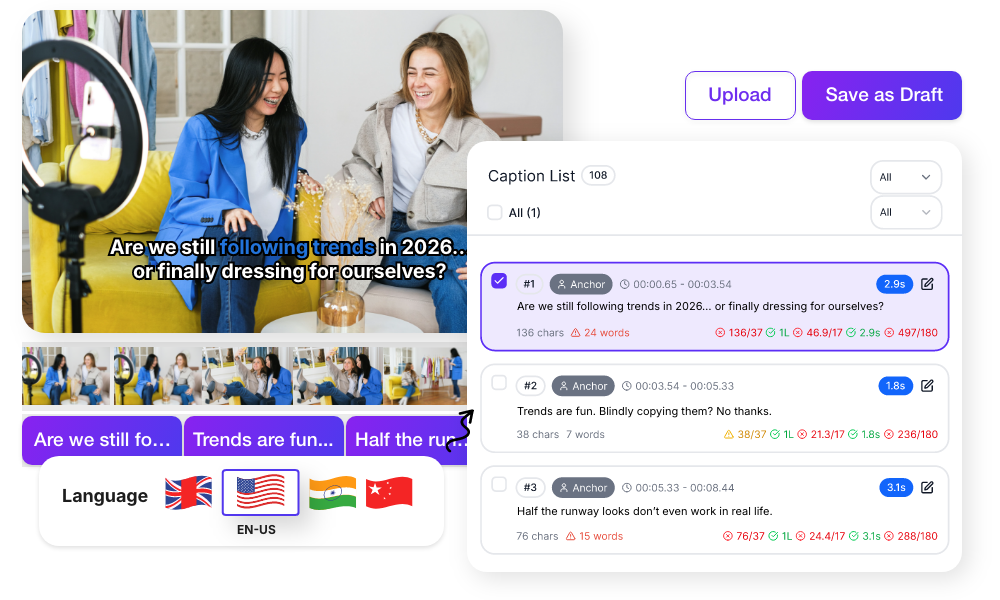
- Supports multiple languages
- Upload existing SRT or VTT files
- Edit timing and text with full precision
- Save as draft or publish when ready
Smart Readability & Quality Controls
Maintain professional subtitle standards without technical complexity.
- Words Per Minute (WPM)
- Characters Per Second (CPS)
- Maximum characters per line
- Maximum words per line
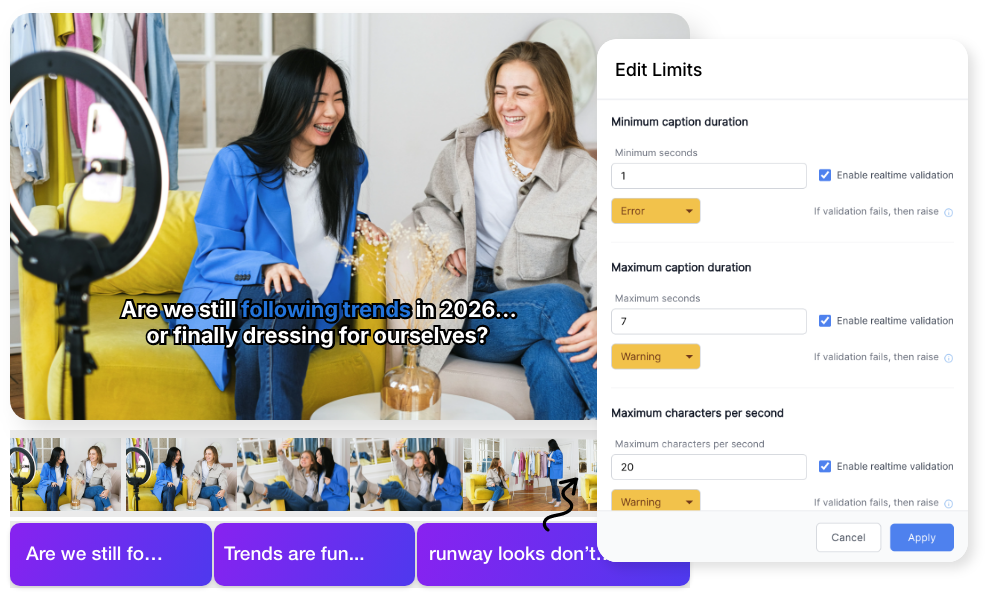
- Minimum & maximum caption duration
Real-Time Validation & Limit Management
Maintain professional subtitle standards without technical complexity. Every caption is checked instantly as you edit.
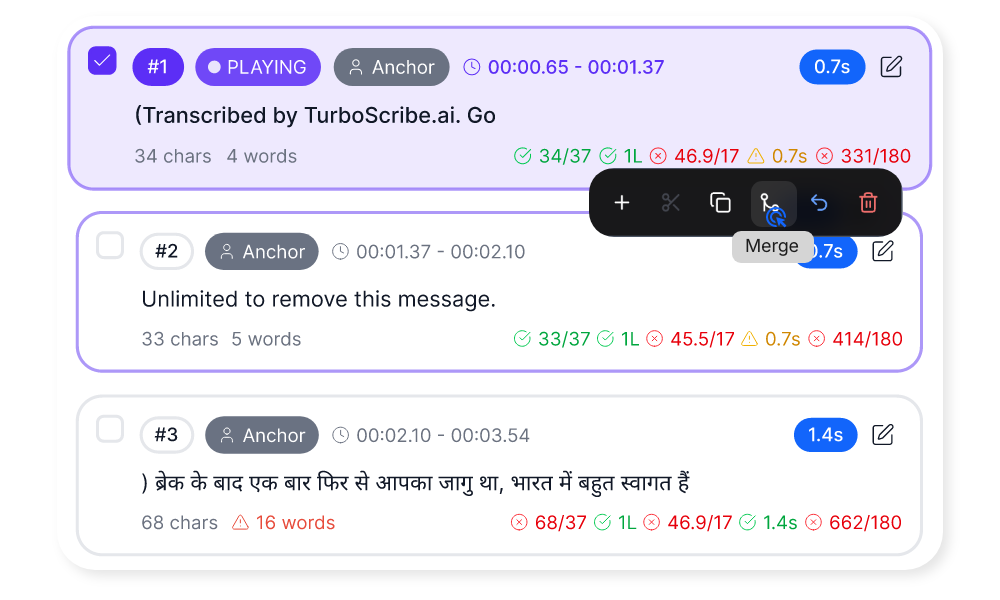
- Green, warning, and error indicators
- Words Per Minute (WPM), Characters Per Second (CPS)
- Minimum & maximum caption duration,
- All limits editable in one control panel
- Rules saved with your subtitle track
Quality control built directly into the workflow.
Advanced Timeline Editing & Precision Controls
Edit subtitles in perfect sync with your video.
- Timestamp-level timing adjustments
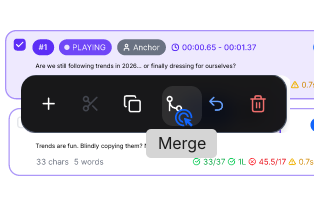
- Split and merge captions
- Add, delete, or bulk-edit captions
Positioning, Speakers & Professional Export
Adapt subtitles for different formats and workflows.
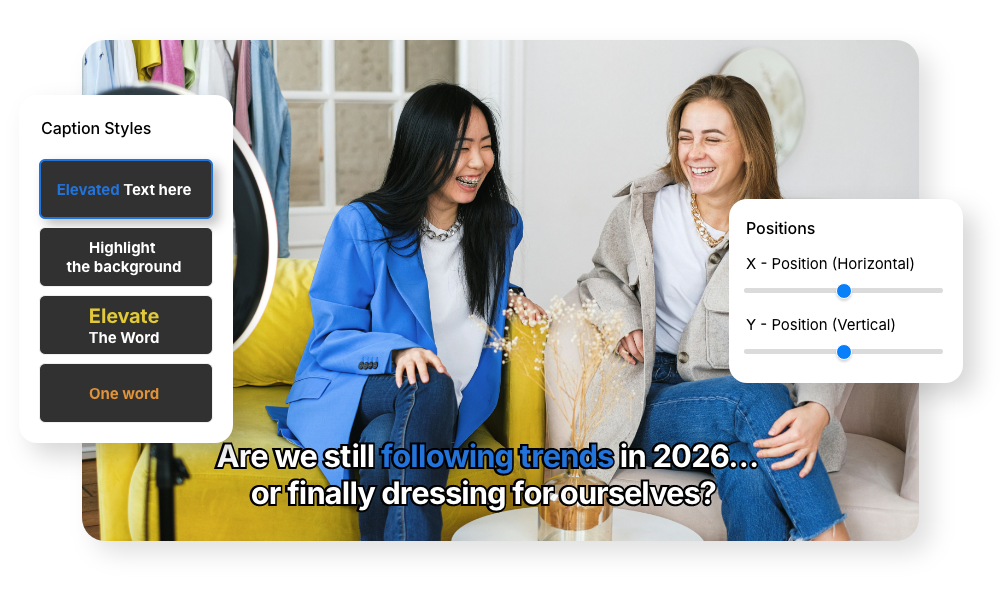
- On-screen positioning (top/middle/bottom, alignment control)
- Speaker labeling and filtering
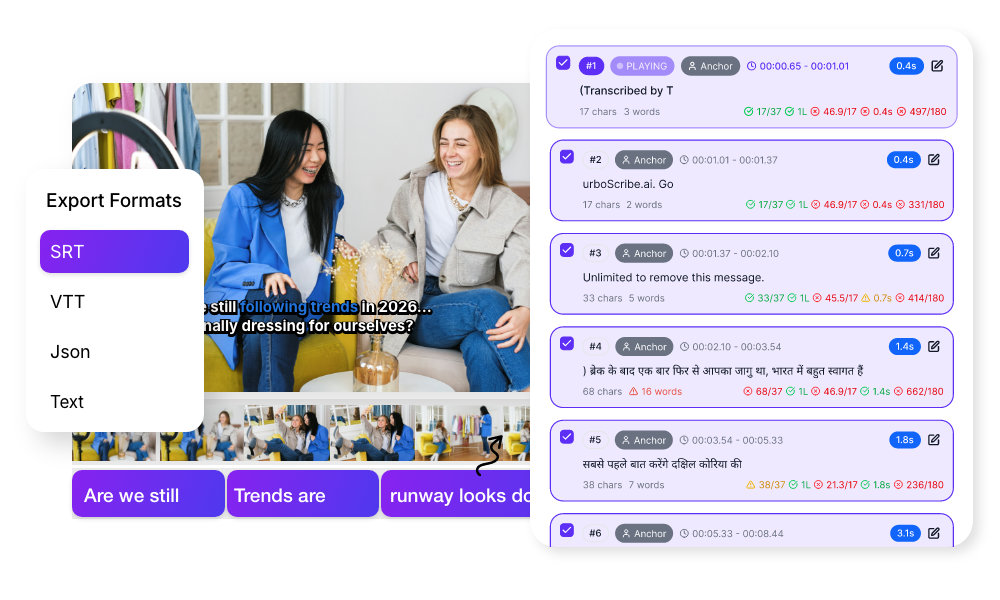
- Export in SRT, VTT, JSON, or text
- Export full track, selected captions, or by speaker

Simple Process
How It Works
From upload to export in 3 simple steps. No complex editing required.

1: Add Captions
Auto-generate from video or upload SRT/VTT files to start editing immediately.
2: Edit & Validate
Adjust text and timing, split or merge captions, and use live validation to ensure readability standards.
3: Publish & Export
Save as draft or publish when ready. Download in SRT, VTT, JSON, or text formats for any platform.
Perfect For
Trusted by creators across every industry

Content Creators
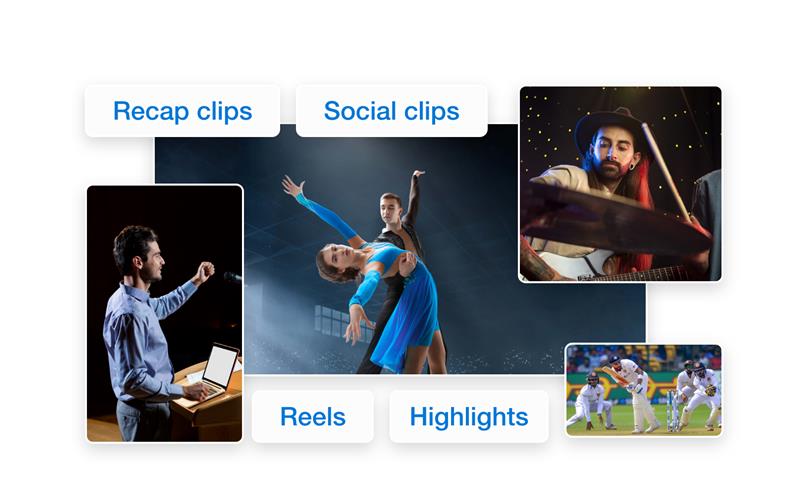
Add professional captions to YouTube videos, Shorts, Reels, and podcasts without complex editing software.

News & Media Teams
Maintain subtitle consistency and readability standards across large volumes of video content.

Podcast & Interview Producers
Label speakers, control pacing, and export clean transcripts for distribution.

Enterprise & OTT Platforms
Manage subtitle quality at scale with configurable rules, draft workflows, and structured exports.
Why Videograph vs manual editing
See how AI-powered automation compares to traditional manual editing tools.
| Capability | Videograph | CapCut | Descript | Premiere Pro / Final Cut |
|---|---|---|---|---|
| AI Speaker Detection | ||||
| Automatic Split-Screen Generation | ||||
| Dynamic Framing / Intelligent Reflow | ||||
| Portrait-First Output | ||||
| Workflow Integration | ||||
| Live & Recorded Support | ||||
| Ease of Use (AI-First) | ★★★★★ | ★★★☆☆ | ★★☆☆☆ | ★★☆☆☆ |
| Team & Enterprise Scale | ||||
| Publish Directly to Platforms |

Complete Suite
Part of Portrait Pro — 11 AI Features
AI Video Clips is one of 11 powerful AI features designed to transform your video workflow
Frequently Asked Questions
Can I auto-generate subtitles from my video?
Yes. Subtitle Editor can generate a first draft directly from your video’s audio in one click. It works best when speech is clear, and you can refine text and timing inside the editor.
Can I upload existing subtitle files?
Absolutely. You can upload SRT and VTT files created in other tools or provided by translators. After uploading, you can edit timing, text, and readability settings within the editor.
What are WPM and CPS, and do I need to understand them?
WPM (Words Per Minute) and CPS (Characters Per Second) measure subtitle reading speed. You don’t need technical knowledge — the editor shows simple color indicators (green, orange, red) and explains when captions are too fast or too dense.
Can I save subtitles as draft before publishing?
Yes. You can save subtitles as draft, continue editing later, and publish when ready. You can also publish multiple drafts at once.
Can I manage subtitles for multiple speakers?
Yes. Auto-generated subtitles can label speakers (e.g., S1, S2). You can filter by speaker, assign or edit labels, and export subtitles for a specific speaker only.
Create subtitles that are accurate, readable, and platform-ready
Generate, edit, validate, and publish — all in one place.